Wednesday, March 15, 2017

lesson 18


Tablets for Textbook in Schools


For Philippine schools, even for private ones catering to children of the well I to-do families,  the so called tablet -for a learning is still futuristic. Give however, the recognize impact of technology in education, the future may not be too far away.


Resulta ng larawan para sa Tablets for Textbook in Schools
Today, books are still the primary medium in instruction in most schools.it is doubtful if these will totally be replace by digital technology reading tool ,but there are now perceptions that virtual literacy May very well ease out textual print literacy.Already, he disadvantages of using books for learning are being debated upon.For school-graders, the load of books and wordbooks for every subject are backbreaking  due to their weight and size.In developing countries, one book for every student is still a goal, not a reality.Publishing and printing millions of books for millions of public school children are just too expensive for the public purse.The errors in public school textbooks has also been exposed,errors resulting from wrong information,technical mistakes, and editorial lapses.


Resulta ng larawan para sa Tablets for Textbook in Schools
Today, technology is being viewed ad a savior.Given the fact that students are enamored y computer games which take much of their time at home, educators have  begun to think that the computer screen can very well serve as a powerful educational medium.Already computer games have been adopted in developed countries as a learning technology along with other audio-visual aids to teaching and learning. Classroom instruction which rides the vehicle of gaming admittedly makes learning more effective and more fun.From studies,educational video gaming has been shown to inculcate competencies that relate to learning concentration, lasting memory recall and higher visual literacy.


Resulta ng larawan para sa Tablets for Textbook in Schools

lesson 16


The Internet and Education


GETTING AROUND THE NET
        The vast sea of information now in the internet, including news and trivia,is an overwhealming challenge to whom who wish to navigate it .Everyday,the net user population and the available information,continue to grow , and new ways are continuously being developed to tour the internet.


Resulta ng larawan para sa The Internet and Education
The most attractive way to move around the internet is called browsing. Using a program called browser, the user can use a mouse to point and click on screen icons to surf the internet, particularly the World Wide Web (the Web) , an Internet, s subset of text,images, and sounds are linked together to allow users to access data or information needed.


Resulta ng larawan para sa The Internet and Education
The future of the internet seems limitless. Already its complexity has spawned and continue to spawn Net sites including new demand for services to business, indstries , science, government, and even homes. Many eroert predict that the internet is destined to become the centerpiece of all online communication in the planet and in some future time in the solar system using interpkanetary satellite communication stations.


Resulta ng larawan para sa The Internet and Education
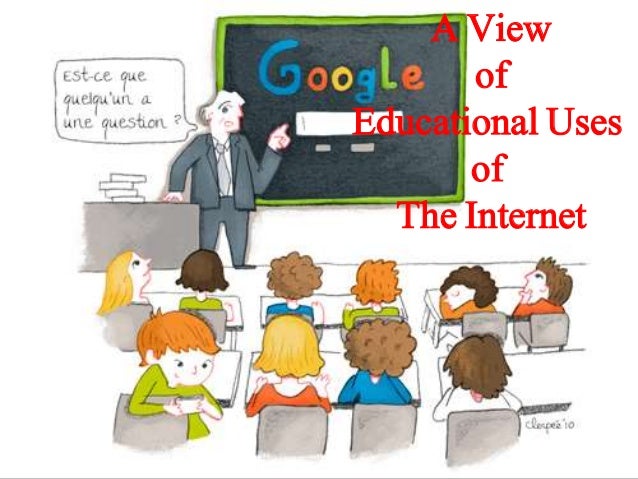
A view of educational uses of the Internet
Today, even elementary school paraders in progressive countries like the United states are corresponding via e-mail with pen pals in all 50 states. They ask probing questions like, “What is your state’s most serious problem?,” or How much does a pizza cost in your state? This educational activity prodded by their schools are paying dividends for increasing the pupil’s interest min Geography to a greater understanding of how people live in large cities and other places in the United States or the world.
Educations software materials have also developed both in sophistication and appeal. There is now a wider choice from rote arithmetic or grammar lessons to discovery and innovation projects. But the real possibility today is connecting with the world outside homes, classroom, and Internet cafes. Today schools are gearing up to take advantage of the Internet access, where they can plug into the library of Congress, make virtual visits to famous museums in the world, write to celebrities , and even send questions to heads of states.


Resulta ng larawan para sa The Internet and Education

lesson 15


 Understanding Hypermedia


The presentation of information-learning activities in hypermedia is said to be sequenced in a non-linear manner, meaning that the learner my follow his path of activities thus providing an environment if leaner autonomy and thinking skills.
From the Educational Technology I course, the student has already become aware of multimedia or an audiovisual package that includes more than one instructional media (means of knowing) such as text, graphics audio animation, and video clip.
Hypermedia is nothing but multimedia, but this tie packaged as an educational computer software where information is presented and student activities are integrated in a virtual I learning environment. Most educational IT applications are hypermedia and these include:
  • tutorial software package;
  • knowledge webpages;
  • simulation instructional games; and
  • learning project management, and others.
Resulta ng larawan para sa Understanding Hypermedia

The presentation of information-learning activities in hypermedia is said to be sequenced in a non-linear manner, meaning that the learner my follow his path of activities thus providing an environment if leaner autonomy and thinking skills.The fact makes it therefore important to understand hypermedia in order to ensure their successful integration in the teaching-learning process.
 The flight simulator used to train pilots in an example of a highly developed hypermedia program. Observe that it simulates an environment that allows the students pilots to practice authentic (as needed to be dine in the real world) tasks while reducing the lot of the cognitive mode of learning.


Resulta ng larawan para sa Understanding Hypermedia
Characteristic of hypermedia applications
There are two important features that are outstanding — among other features that characterize the hypermedia software:
  1. Learner control. The means the learner makes his owown decisions on path, row or events of instruction. The learner has control on such aspects as sequence, pace content, media, feedback, etc. that he/she may encounter in the hypermedia Pershing program.
  2. Learner wide range of navigation routes. For the most part, the learner controls the sequence and pace of us path depending on his/her ability and motivation. He/she has the option to repeat and change speed, if desired. Of course, at the start the learner may choose the learning activities he/she prefers. Meanwhile, the teacher has the prerogative to determined suitable learning objectives.
Resulta ng larawan para sa Understanding Hypermedia

          The learner also be a wide range of navigation routes such as by working on concepts  he/she is already familiar with. He/she may even follow a liner or logical path, even if the previous activity is half-completed. He/she may explore other sections opting to return or complete the previous activity.


Resulta ng larawan para sa Understanding Hypermedia
  1. Variety of media. Hypermedia includes more than one media (text,graphics audio,animation and video clip) but does not necessarily use all types of media in one presentation.Since only virtual learning activity takes place,it is important from the standpoint of the teacher to optimize the learning process by identifying the characteristics of media application,as well as the advantages and limitations of such an application.
Resulta ng larawan para sa Understanding Hypermedia

        Given all its capabilities,hypermedia still does not replace life’s experience and learning from nature and life.This is the saying that information and communication technology cannot replace the teacher altogether.Note that even technologist admit that a computer has an IQ of zero and depends on what man can input or make of it. GIGO or “garbage-in, garbage a out” is the very first principle that should be remembered about the computer.
     In the use of hypermedia the following instructional events well prove useful to the he teacher:
  • Get the learners’ attention.
  • Recall prior learning.
  • Inform learners of lesson objectives.
  • Introduce the software and it’s distinctive features.
  • Guide learning, eliciting performance.
  • Provide learning feedback.
  • Assess performance .
  • Enhance retention and learning transfer.
Resulta ng larawan para sa Understanding Hypermedia

lesson 14


 The Software as an Educational Resource


Whenever people think about computers, they are most likely thinking about the computer machine such as the television-like monitor screen, the keyboard to type on, and the computer housing called “the box” which contains the electronics parts and circuits (the central processing unit) that receives/ stores data and direct computer operations. The computer machine or hardware is naturally an attention-getter.
It’s more difficult to realize, however, that the computer hardware can hardly be useful without the program or system that tells what the computer machine should do. This is also called the software.


Resulta ng larawan para sa The Software as an Educational Resource
There are two kinds if software:
  1. The system software. at his is the operating system that is found or bundle inside all computer machines
  2. The applications software. This contains the system that commands the particular task or solves a particular problem.
Resulta ng larawan para sa The Software as an Educational Resource

In turn the applications software may be:
  1. a custom software that is made for specific task often by large corporation, or
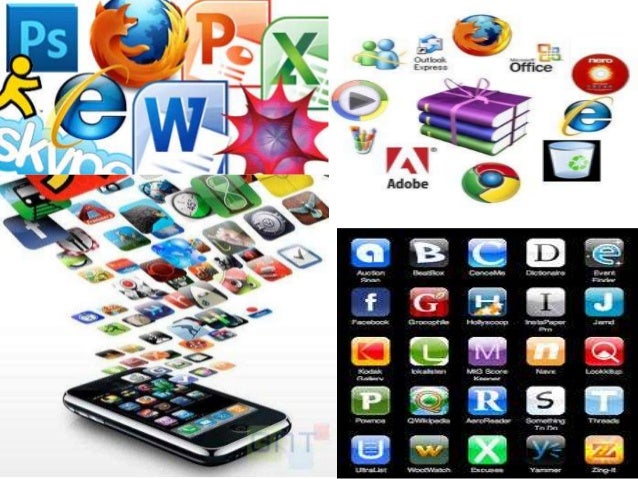
  2. a commercial software packages for personal computers that helps with variety of task such as writing papers, calculating numbers, drawing graphs, playing games, and so much moire.
Resulta ng larawan para sa The Software as an Educational Resource

Microsoft Windows
Also referred to as a program, Microsoft Windows or Windows for shot is an operating environment between the user and the computer operating system. All called a shell, it is slayer that creates the way the computer should work. Windows uses a colorful graphics interface (called GUI- pronounce “gooee”) that can vbeseen on the computer screen and monitor whenever the computer is turn on.
The her can work in on-screen pictures (icons) and suggestions (menus) to arrive at the desired software. Windows 95 (now improve with Windows 2003,2007) is a software designed for Microsoft Windows.Actually, Windows is in itself a self-contained operatingsystemwhich provides :
  • User convenience – just click on the file name to retrieve data or click from program to program as easy as changing channels in your TV screen
  • A new look- fancy boraders , smooth and streamlined text fonts
  • Information center- Windows put all communications activities (e-mail, download etc. in a single screen icon); adapts/configures the computer for the internet .
  • Plug and play- configure the computer with added components, such as for sound and video.
Resulta ng larawan para sa The Software as an Educational Resource
Instructional software
Instructional software can be visited on the Internet or can be bought from software shops or dealers. The teacher through his school should decide on the best computer-based instructional (CBI) materials for the school resource collection. But beware since CBIs need much improvement, while web-based educational resources are either extremely good or what is complete garbage. In evaluating computer-based educational materials, the following can serve as guidelines:
  • Be extremely cautious in using CBIs and ‘free’ Internet materials.
  • Don’t be caught up by attractive graphics, sound, animation, pictures, video clips and music forgetting their instructional wort
  •  Teachers must evaluate these resources using sound pedagogical principles.
  • Among design and content elements to evaluate are: the text legibility, effective use of color schemes, attractive layout and design, and easy navigation from section-to-section (such as from game to tutorial to drill-and-practice section).
  •  Observe clarity in the explanations and illustrations of concepts and principles.
  • Maintain  accuracy, coherence, logic of information
  • Are they being current since data/statistics continually change.
  •  Are they relevant and effective in attaining learning objectives.
  • Observe absence of biased materials (e.g. gender bias or racial bias).
    Instructional software can be visited on the Internet or can be bought from software shops or dealers. The teacher through his school should decide on the best computer-based instructional (CBI) materials for the school resource collection.
  • Instructional software can be visited on the Internet or can be bought from software shops or dealers. The teacher through his school should decide on the best computer-based instructional (CBI) materials for the school resource collection.
Resulta ng larawan para sa The Software as an Educational Resource